


The last major feature of LANguard S.E.L.M.
is certainly my favorite – its ability to produce clear and insightful
reports quickly an easily. For those of you with managers looking for
detailed information on network security, this will truly make your life
easier. Not only are the most common reports predefined, but you can also
define custom reports to be built from the information stored in the
database. For example, the screenshot below outlines the Reporter
interface:
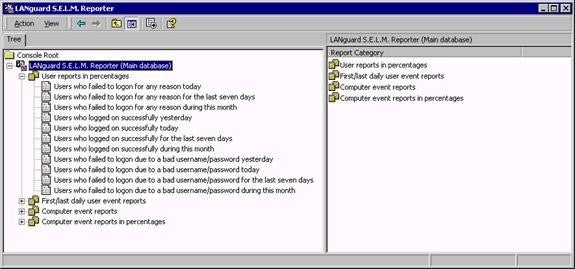
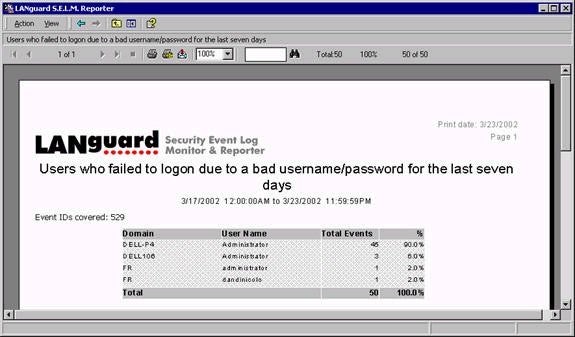
The reports shown are actually templates –
once you right click and choose Generate, you’ll be presented with the
completed report. Not only can the reports be printed easily, they can also
be exported to common formats including RTF, CSV, Crystal Reports, and
others.
LANguard S.E.L.M. has many additional
features that I haven’t covered here – advanced filtering capabilities, the
ability to backup the database to ensure optimal performance, and more. If
you’re serious about monitoring security on your network, you should take a
look at LANguard S.E.L.M. Not only will the product reduce the amount of
administrative effort required to manage and monitor event security, it will
also give you the peace of mind of knowing that you’ll be able to respond to
critical incidents in a timely fashion. GFI offers a free trial version of LANguard S.E.L.M. for download. Given the time and
effort (and subsequently dollars) that companies spend trying to ensure a
cohesive security strategy, LANguard S.E.L.M. represents a practical and
cost-effective solution.