

Server Roles in Windows Server 2003 allow you, as the
Administrator, to configure specific roles for your system by using the
Configure Your Server Wizard.
With Server Roles in Windows Server 2003, you can designate which services your system will run, from Applications Server to WINS Server. Jason Zandri walks us through the basics.
Depending on your settings, the Mange Your Server window may
be automatically available upon login. If it is not it can be found on the
Start Menu under All Programs – Administrative Tools.
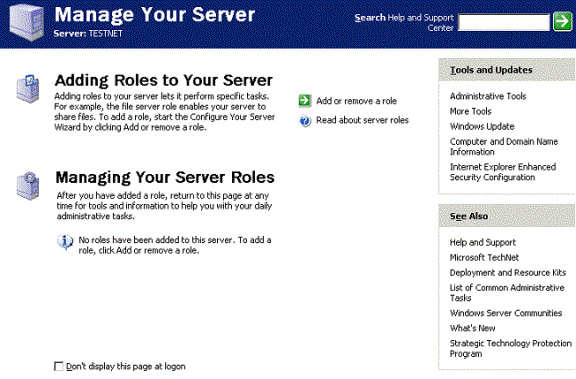
From this screen you can add a role to your existing server,
which will allow you to configure it for a specific task. You can also manage
the current role from this page as well.
From this point you can pick one of the listed roles, all of
which are pretty self explanatory by their titles.
- File server
- Print server
- Application server
- Mail server
- Terminal server
- Remote access/VPN server
- Domain controller
- DNS server
- DHCP server
- Streaming media server
- WINS server